
FAQ
RetroAchievements FAQ
What is Hardcore mode?
This feature restricts the player from loading save states (creating them is still allowed), using cheats, and using any speed-altering features like rewinding, slow-motion, and advancing the game one frame at a time by using the emulator's built-in functions. Note that the only exception to altering speed is fast-forward, which is allowed. Essentially, you are playing the game without the game-altering enhancements emulators come with.
While you will still be able to get achievements in Softcore, playing in Hardcore mode is the only way to earn a Mastery for a game, which is displayed both on your profile and on the game's page as a master of the game, as well as on the main leaderboard. Playing in Hardcore will also allow you to set times, scores, or participate in miscellaneous challenges on game-specific leaderboards. Most events also require you to earn achievements in Hardcore, unless otherwise specified on the event page. Completing a game with softcore will still give you a badge to show on your profile; however, there will not be a gold border, and you won't show up as a recent master of the game.
If you want to have a one-to-one replication of how you used to play retro games in the distant past, then Hardcore mode is what you are looking for.
Note: If you want to play with the Hardcore mode disabled (also known as "Softcore"), you might experience issues. See Why you shouldn't use the load state feature.
What are the RetroPoints (white points)?
White points, known as RetroPoints, are secondary points based on how rare an achievement is.
Generally, more points are awarded for lesser played games and for lesser earned achievements on more played games.
Note that these points may fluctuate as more players earn (or don't earn) the achievement.
More information about the calculations is explained here in detail.
Will RetroAchievements support this or that console?
Short answer: Yes, it will.
Long answer: The only correct answer to this question is "Whenever someone with the skills and desire to code support does so." Everyone here is a volunteer, so additional support and features happen when they happen. In many cases support for a console is dictated by the emulator/core developer and is outside RetroAchievements' control.
For more information on specific consoles, you can check here: System X When?
For a list of currently unsupported cores and consoles, see Unsupported Emulators and Cores.
How do I request an achievement set?
On each game's page there is a button to "Request Set".
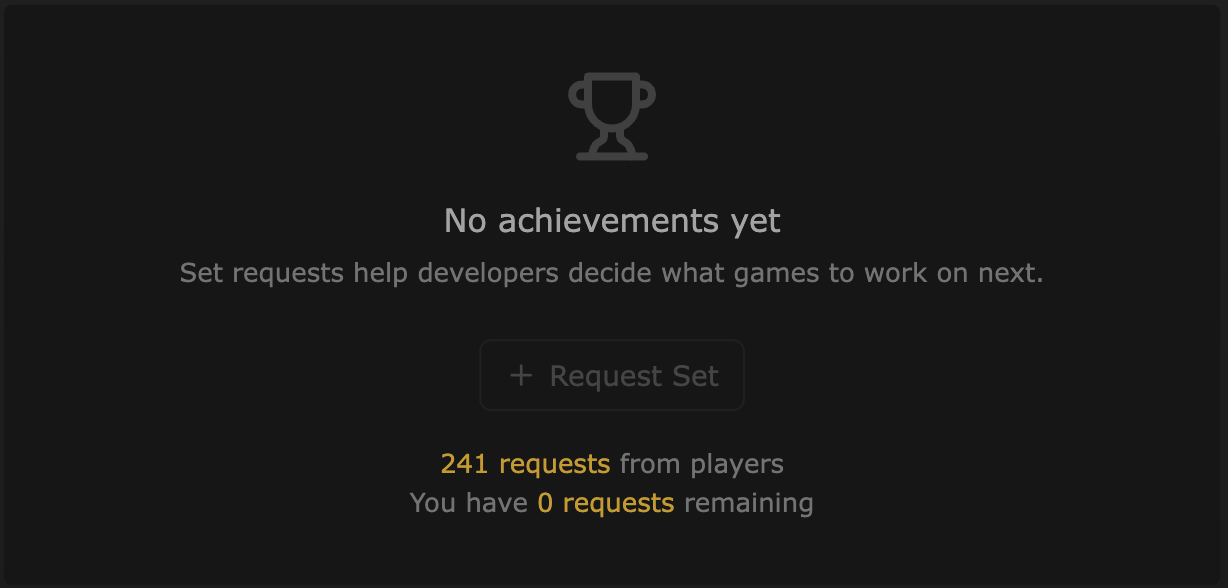
Clicking this will add your name to the list of users who have requested a set for the game. Clicking again will withdraw the request. To see other users who have requested the set, click on the "x requests" link below the "Request Set" button.

The total number of requests is tallied and displayed on the Most Requested Sets page which can also be sorted by console. When a set is created, the user request will be automatically returned for you to request another game.
The number of requests available to a user is determined as follows:
- 1 for every year you've had your account
- 1 for every event badge you have earned
- 1 for reaching 1.25k, 2.5k, 5k, 7.5k, 10k
- 1 for every 5k from 10k-100k
- 1 for every 10k thereafter
Note: All achievement developers are volunteers. Requesting a set gives no guarantee that achievements will be made. The purpose of the request feature is to give developers visibility to what players want most. You might also consider making achievement suggestions on a game's forum page to help get a set off the ground.
Emulation FAQ
Where can I find ROMs?
Not here. It is illegal to host or distribute copyrighted ROMs. However, we have a page about Free Games where you can find some really cool homebrews. You can also view the Freely Available in Forum Topic hub on-site to see games that you can download legally.
Why do I get a message that some achievements are unsupported?
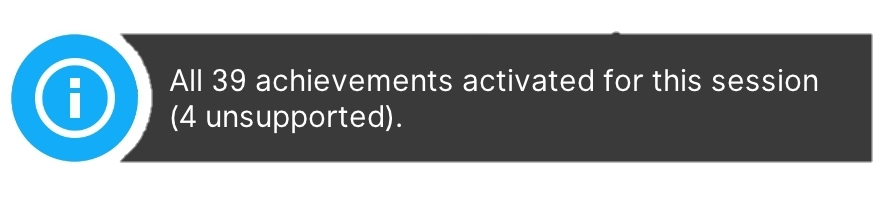

This message informs the user that some achievements cannot be activated either because their version of RetroArch and/or the core being used does not support some newer logic features, or because required areas of the RAM are not exposed for achievement processing.
In most cases, updating to the latest version of RetroArch will correct the problem. Alternatively, updating or using a different supported core will resolve the problem.
What do I do when the achievement isn't working right?
When problems with achievements occur, either where the achievement wasn't awarded to you or it was awarded at the wrong time, there are solutions to get the problems fixed and for proper credit to be given to you! First, you'll want to report the broken achievement. (This is an excellent way to contribute to the betterment of the community!) It creates a ticket report for the achievement developers who will then review the problem and look for a solution.
If the achievement wasn't awarded, you can request a manual unlock. You'll need to report the broken achievement and provide proof of completion.
How do I report a broken achievement?
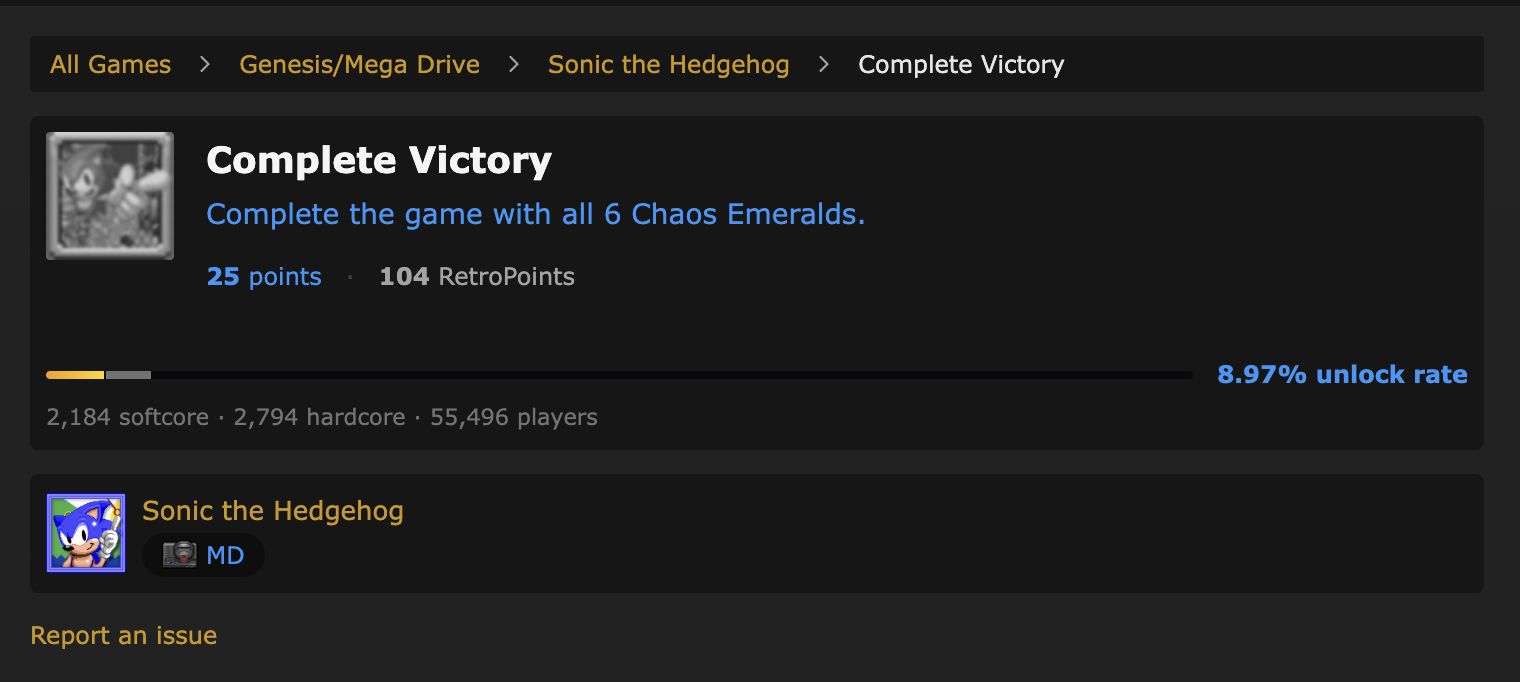
You can submit the report directly via the website. On every achievement's page you'll see a link saying Report an issue, like in the image below:
What details should I add to a broken achievement report?
If possible, in the broken achievement report, paste a link to a screenshot or video (even better) of where the problem occurred. It's recommended to post screenshots on imgur and videos on YouTube.
Also add details like:
- when it was/wasn't awarded;
- what game mode (hardcore/softcore);
- what difficulty level or other settings you've selected;
- how long you were playing;
- when you most recently died or continued;
- what you think the problem might be or any details you think could be helpful.
This is necessary for achievement developers to know where the problem is.
What is an RA hash?
An RA hash is a unique string of 32 hexadecimal characters to distinguish different games and versions of them. All versions of games have one.
How do I check the RA hash of the game I'm playing?
- For RetroArch - Quick Menu ⇒ Information, at the bottom there is "RetroAchievements Hash"
- For Standalones/RALibretro - RetroAchievements tab at the top ⇒ Get ROM Checksum, and it shows the RA hash
How do I request a manual unlock?
For Discord Users (Recommended Method)
Post your request in the #unlock-requests channel following the format in this stickied thread. This method allows for faster communication or updates when needed as well as easier ways to upload video and images for proof.
For Website Requests
There are two ways you can send the request through the website.
- Directly send a message to the RAdmin user with the title: Manual Unlock Request
- On an individual achievements page follow the
Report an issuelink and then click theRequest Manual Unlockbutton which will automatically format a message to RAdmin for you to edit and send.
When sending a manual unlock request via the website your message must include all of the following details. Requests missing any of these items will be automatically denied without any follow-up:
Achievement Identification:
- Provide a direct link to the Achievement ID(s) of the unlock(s) you’re requesting.
- If your request contains more than three achievements then please also include a list of just the IDs in comma delimited format, ex.
123, 456, 789.
- If your request contains more than three achievements then please also include a list of just the IDs in comma delimited format, ex.
- State whether the request is for softcore or hardcore unlocks.
- Provide a direct link to the Achievement ID(s) of the unlock(s) you’re requesting.
Broken Achievement Ticket:
- If the issue relates to a broken achievement, include a link to the ticket you have created.
- Exception: If the achievement was triggered correctly in the emulator but did not sync to your profile due to a network issue, do not create a ticket. Instead, clearly state that a network issue is the culprit.
- Read The Anatomy Of A Good Ticket for a better idea of what makes tickets helpful.
- If the issue relates to a broken achievement, include a link to the ticket you have created.
Proof of Completion:
- General Proof Requirements:
- Supply a direct, plain-text link (do not use Markdown or embedded images) to your proof.
- Use external hosting services (e.g., imgur, YouTube, or a cloud service) for screenshots or videos. Local file links or embedded images are not accepted.
- Proof by Achievement Type:
- Progression Achievements: A link to another unlocked progression achievement later in the game is acceptable. Otherwise an appropriate screenshot will likely suffice.
- Challenge Achievements: Full video evidence is required from the start of the challenge to the end. Even if the achievement has a challenge icon showing, you must provide video proof. Evidence needs to capture the triggering moment, show the active challenge icon (or when it falsely disappears), and confirm that Hardcore mode was active if it is a Hardcore request.
- Other Achievements: A clear screenshot or a link to another related achievement (only possible if the requested achievement was already done) is usually enough. Use your best judgment if a video might be warranted.
- Network Issues: A clear screenshot showing the achievement unlocked in your emulator is the best proof if you notice before closing your emulator. Otherwise, the above types still apply.
- General Proof Requirements:
Link Verification:
- Before sending your request, use the Preview function to verify that all your links work correctly. We do not have the capacity to fix or follow up on broken/misformatted links, and any invalid links will result in an immediate denial.
A Few Important Reminders
- These guidelines are in place because we receive a high volume of manual unlock requests, and many are incomplete or improperly formatted. Missing or invalid information leads to denial without response.
- Even if your submission meets all the requirements, the RA team reserves the right to deny the request if the provided proof is deemed insufficient.
- Manual unlocks are intended for players with proof of earning achievements that did not trigger on site due to a bug or network issue. They are not intended for, and will not be awarded to players who have played the game prior to a set being available, or on another inherently unsupported platform (original hardware, for example), or before you started playing on RetroAchievements.
- If you haven’t received an unlock after several days, double-check that your request adhered to these guidelines. For further clarification or if you believe your request was handled in error, please feel free to contact the Moderation team.
In summary: how to request a manual unlock
Open a Ticket (When Applicable):
- Report the issue by opening a ticket that clearly describes the problem with the achievement.
- Note: If the achievement was triggered correctly except for a network sync issue, you do not need to open a ticket—just explain the network issue in your manual unlock request.
- Report the issue by opening a ticket that clearly describes the problem with the achievement.
Gather Adequate Proof:
- Provide evidence that you met all the achievement requirements. Acceptable forms of proof include:
- Screenshots: Showing you were playing in HARDCORE mode and that you met the achievement requirements.
- Videos: Capture the critical moment when the achievement should trigger. (Especially necessary for challenge achievements and hardcore submissions.)
- Comparative Achievement Evidence: For example, if you received a higher-tier achievement (such as a 10k points achievement) but missed out on a required lower-tier one (like 5k points).
- Provide evidence that you met all the achievement requirements. Acceptable forms of proof include:
Submit Your Request:
- Discord Users: Post a message in #unlock-requests following this stickied thread
- Website Users: While signed in to RetroAchievements.org, send a request to the RAdmin user with the required information listed above
What if I got an achievement I didn't earn?
As with not getting it when you should: in most cases you'll want to create a ticket report, leaving an explanation of what went wrong. You'll also want to reset these achievements from your unlock history so you can get the satisfaction of truly earning them.
How do I reset achievements?
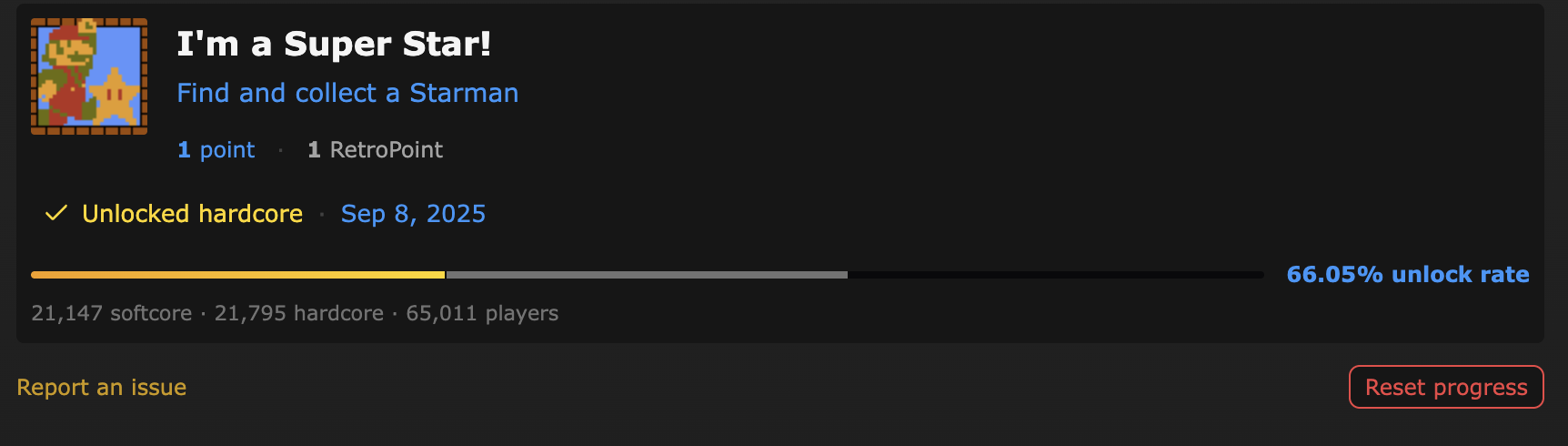
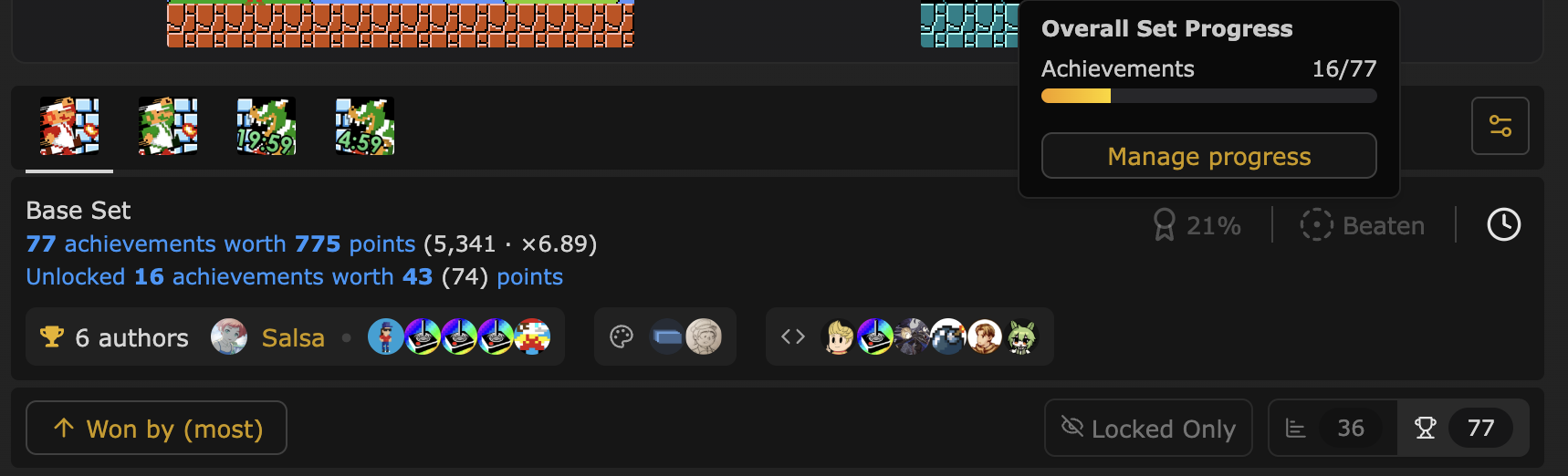
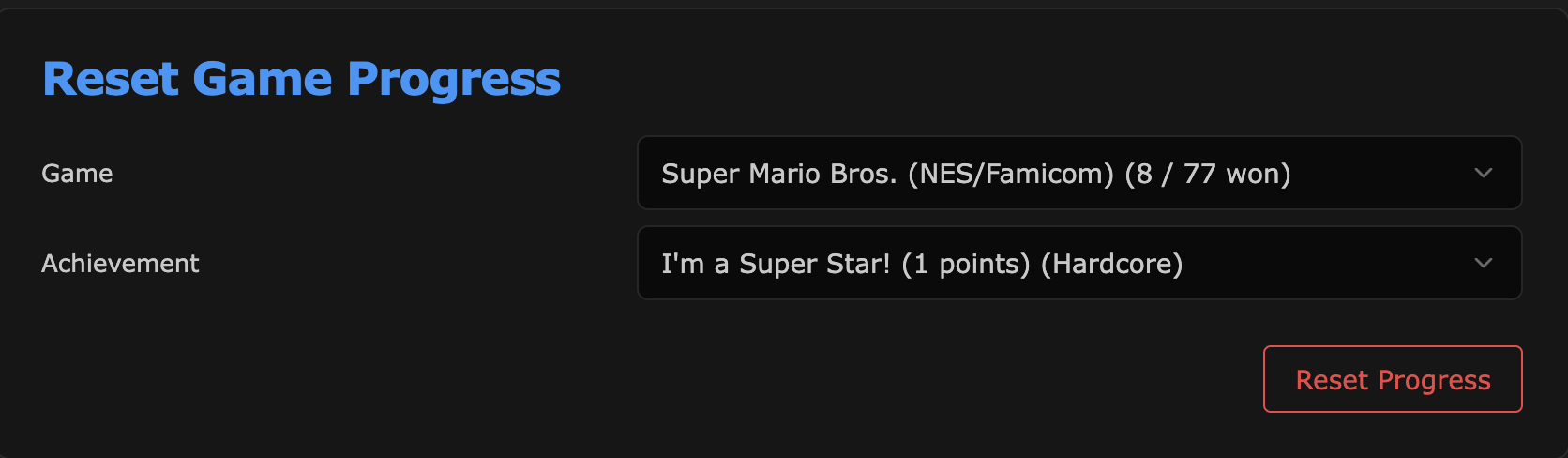
You are able to reset your progress for achievements individually or for an entire set at once.
There are three ways to do this:
On the achievement page:
On the game page (when you want or need to reset all unlocks in a game), hover or tap over the percent complete:
Near the bottom of your user settings page:
Am I the only one with an issue?
If an achievement doesn't work correctly for you, it's possible it doesn't work for others as well. You can check on the achievement's page and look for where it says "'X' open tickets":
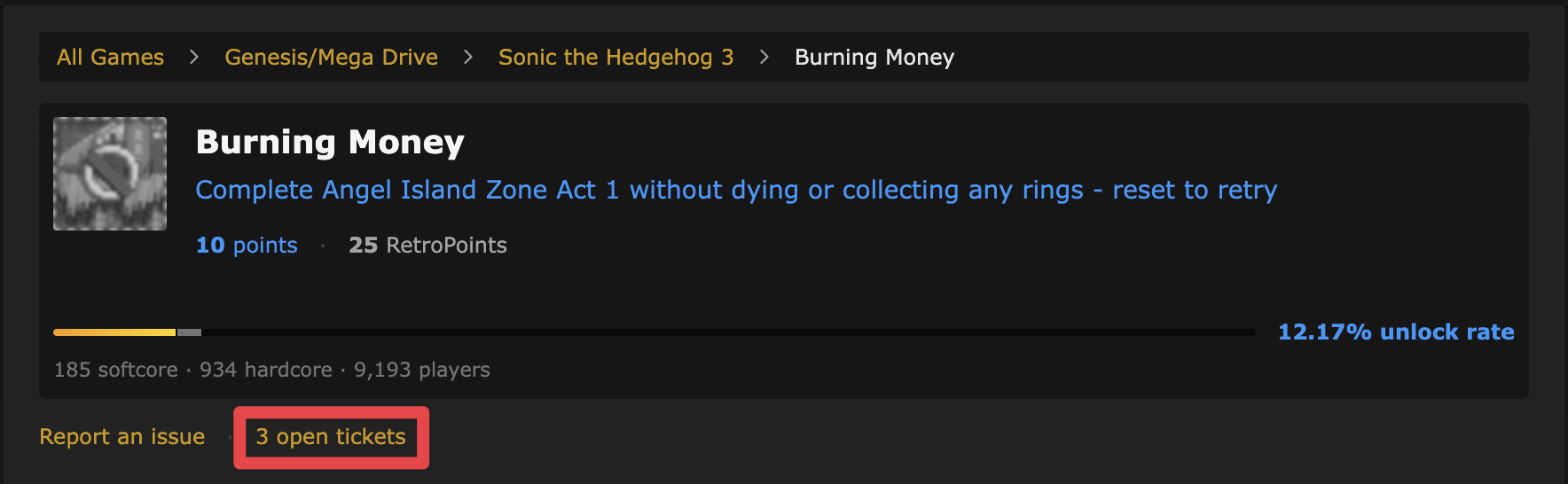
If the game has tickets, click on the 'open tickets' link. This will not show up if there are no open tickets. Here, there will be a list to show any reports for this achievement. You can comment on these to add helpful details or say you have a problem with this achievement too.
Can I earn achievements offline?
We don't currently support a fully offline mode. You must be connected to the internet when you start a playing session.
If you lose connection while playing, you must ensure your emulator stays open until you re-connect. Once you do, your achievements will be synced.
If you close your emulator before your achievements save, you must submit a manual unlock. If you have a screenshot or recording of you earning the achievement, this is usually sufficient evidence, so be sure to take a screenshot of your achievements if you notice you are offline and are unable to reconnect. Please do not make a ticket if you earned the achievement. Follow the manual unlock process.
Account FAQ
Why can't I see my new profile picture?
Press Ctrl + F5 (on most browsers). Sometimes after you've changed your profile picture (also known as avatar or user pic), you'll need to refresh your browser cache. In most browsers Ctrl + F5 is the quickest way to do it.
My welcome email has gone missing!
First, check your spam folder to make sure it didn't get lost. Additionally, wait a bit just in case the email is taking a while to send.
If it still hasn't shown up, please log in with your username/password you registered with, then visit your settings page. At the top you'll find the option to resend your registration email.
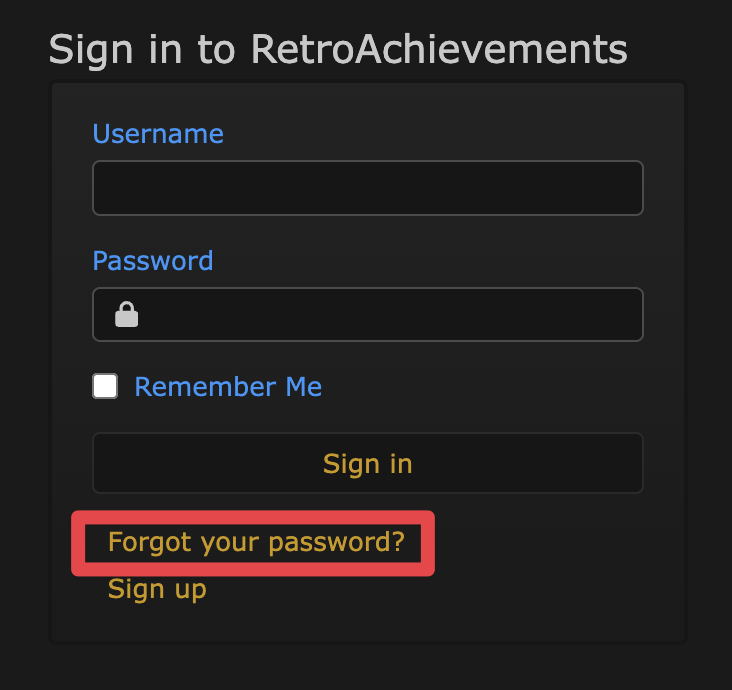
How do I reset my password?
Right here: https://retroachievements.org/resetPassword.php
On the site's home page, while not logged in:
Will I gain any privileges if I become a patron?
On the website you'll have a badge to mean "I helped fund RA!". On the Discord server, you'll have access to a dedicated channel.
Although we are all immensely grateful for the contributions of the patrons, there is no other bonus besides those.
Thanks to the Patreon contributions the RetroAchievements project can pay for a server to run the website, run the Discord bot, and also have periodic backups (to recover data in the event of a disaster), and, most importantly, an ad-free experience.
The whole community owes a big thank-you to the patrons.